
Mac · iPad · iPhone
You shot a thousand frames. Maybe forty are worth editing.
Cull scores every photo on your own device, stacks the bursts, finds the faces and flags the soft ones. Then you press P to keep and X to reject. That’s most of the job.
14 days free, then $39.99 once
How it works
It does the tedious first pass. You do the judging.
Open a folder or a card, or your Photos library on iPad and iPhone. Scoring starts straight away and runs in the background, so you can start picking before it’s finished.
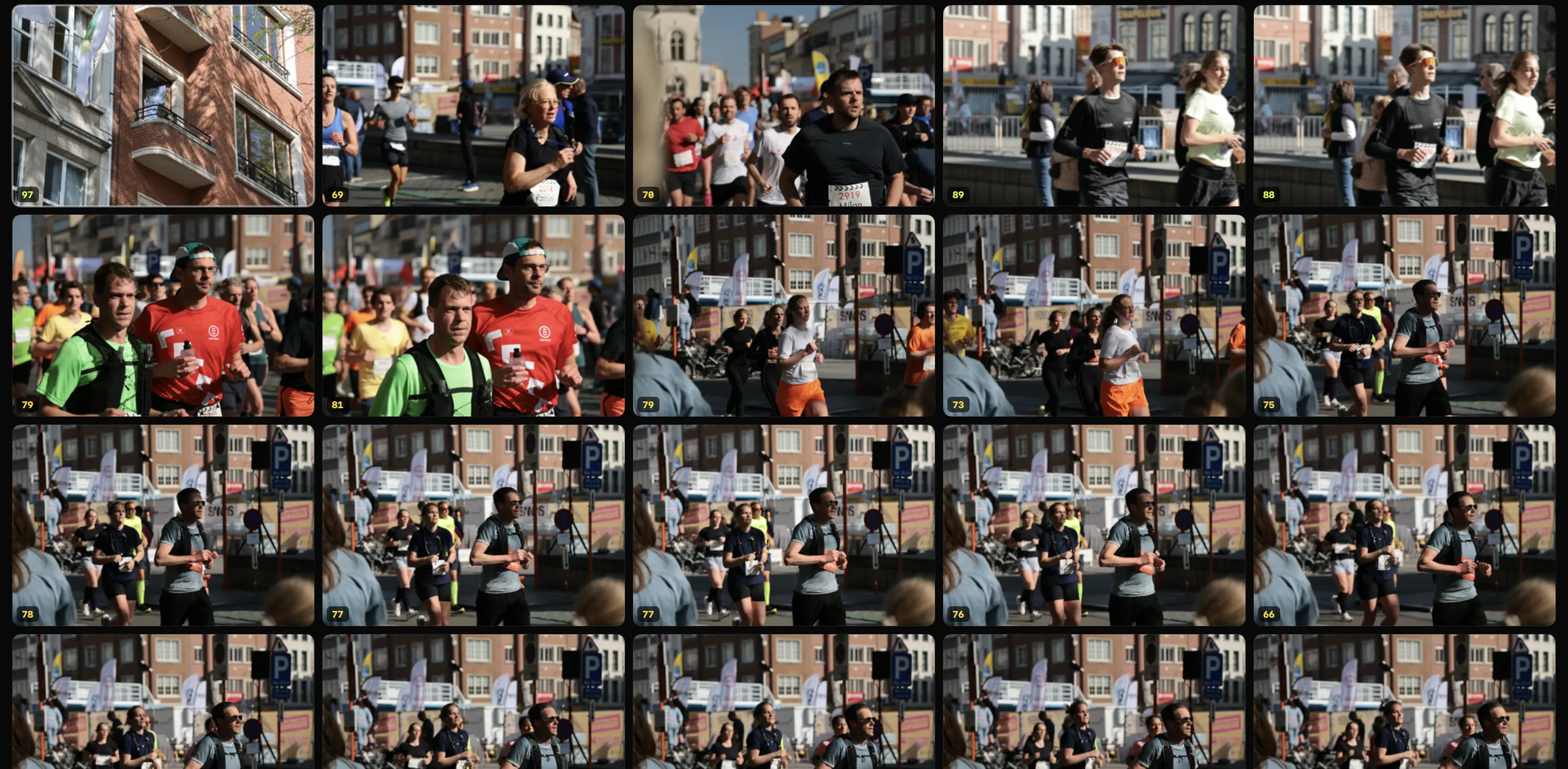
Every frame gets a score
Apple’s Vision framework rates each photo on the device itself: sharpness and aesthetics, plus open eyes and focus when there’s a face. The score sits in the corner of the thumbnail, and blurry frames are flagged before you reach them.
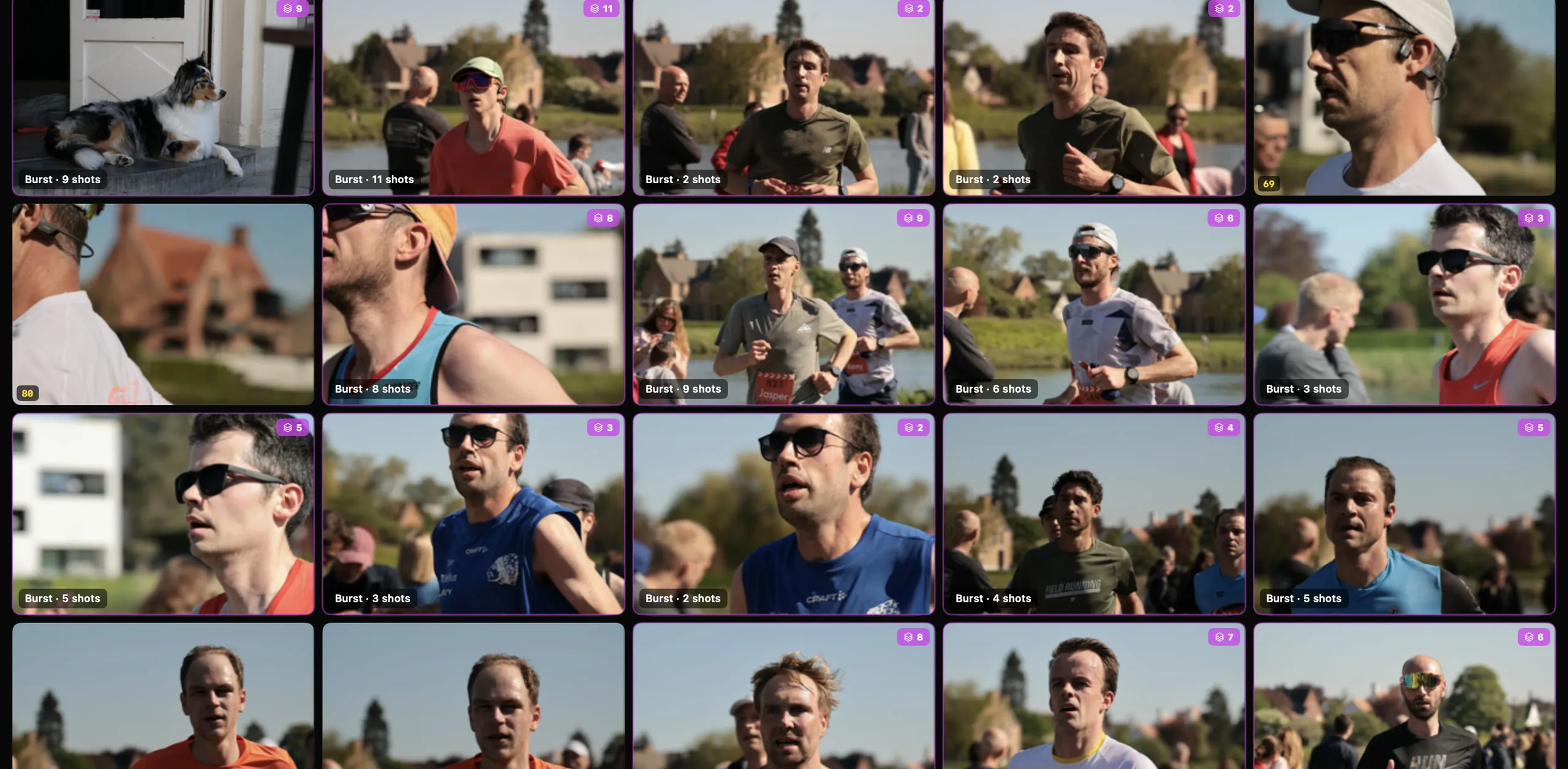
A burst is one decision, not twelve
Near-duplicates are grouped into stacks. Open one, look at the sequence together, keep the frame you want and move on, instead of flicking through every near-identical shot.

Close call? Put them side by side
Compare two frames to judge the expression, the eyes, the focus. It stays open while you keep and reject, so you can work through a whole sequence without leaving it.

Faces found for you
Cull finds the faces in every frame and zooms straight to them, so you can check focus on a 45-megapixel file without hunting around for it.
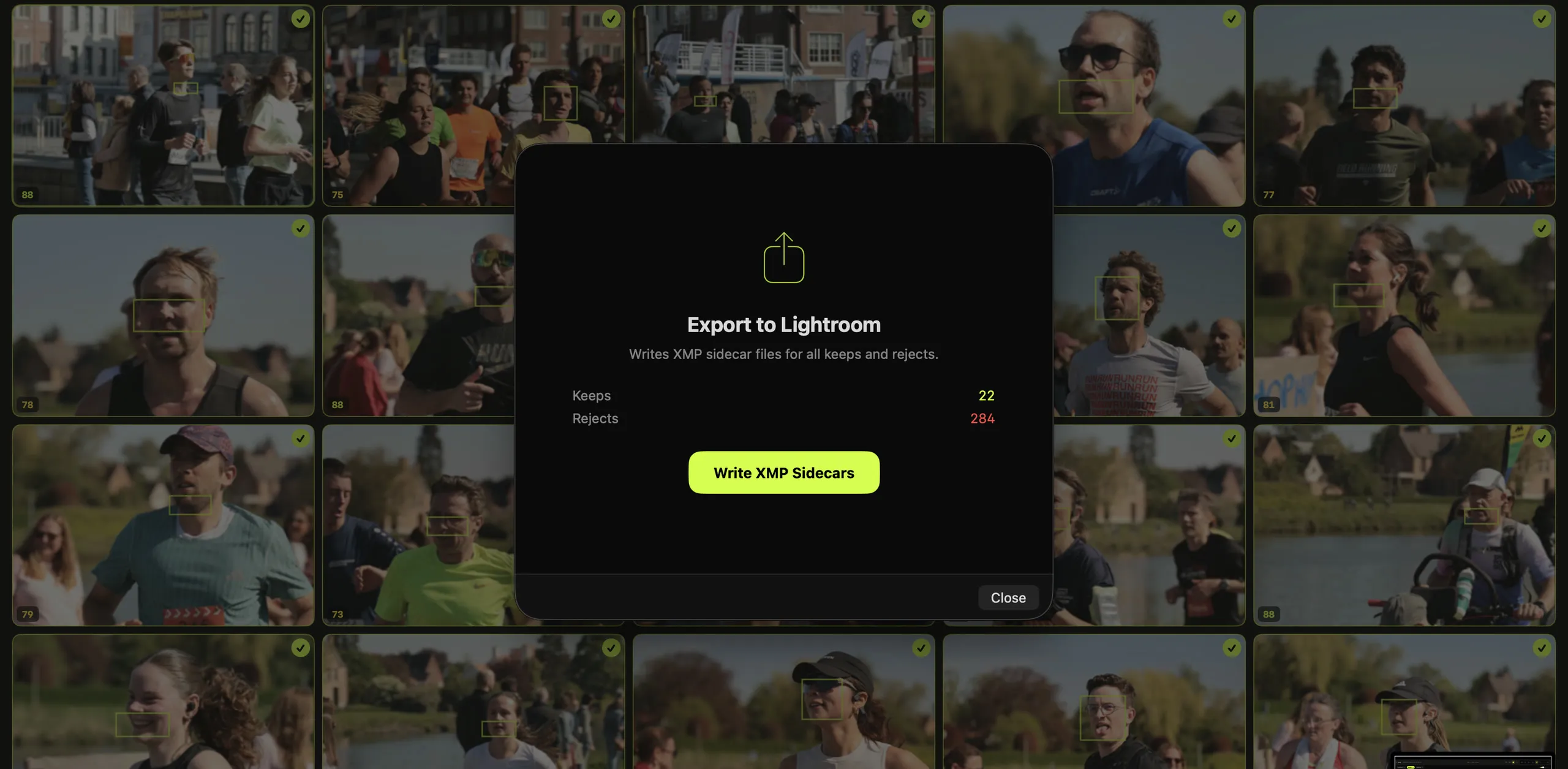
Then straight into Lightroom
One click writes XMP sidecars next to your originals, carrying your ratings and colour labels. Lightroom reads them when you import. No plugin, no manual tagging.
- P Keep
- X Reject
- U Undo
- G Grid
- E Loupe
- C Compare
- F Filter
- 6–9 Label
iPad and iPhone
The same studio, away from the desk.
Open a folder from a card reader or a drive, or pick straight from your Photos library. Tap to keep or reject, and touch and hold a photo to see it without the interface in the way.
One purchase unlocks Cull on Mac, iPad and iPhone.
And a few things it won’t do
-
Upload your photos. Every score is worked out on the device the photos are on.
-
Bill you every month. You pay once and it’s yours.
-
Make the call for you. Scores point at problems. What’s worth keeping is still up to you.
Price
$39.99, once.
App Store price in the United States. It varies by country.
Download it free and use everything for 14 days. If it earns a place in your workflow, one purchase unlocks it on Mac, iPad and iPhone for good. No subscription.
Get Cull on the App StoreFor comparison, US prices
- Aftershoot
- $15 a month
- Narrative Select
- $15 a month
- Photo Mechanic
- $299
- Cull
- $39.99
Other prices as listed on each app’s site when this page was written. At $15 a month, a subscription comes to $900 over five years.
Who makes it
Cull is made by one person. There’s no support team to get routed through: if something’s broken, or there’s a feature you keep wishing it had, email me and I’ll answer it myself.
Briek Keters · support@cullphotopicker.com